

WiFi Guest Access
PSD - GUEST WiFi INSTRUCTIONS
The Palmdale School District requires a PSD employee to be your sponsor and approve Guest WiFi Account.
- From your mobile device, turn on WiFi
- Under WiFi networks, choose: PSD Guest
- Choose: Connect
- You will be redirected to the following:
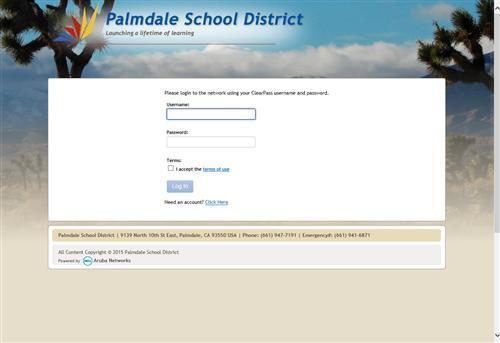
- Choose: Need an account? Click Here
- You will be redirected to the following:
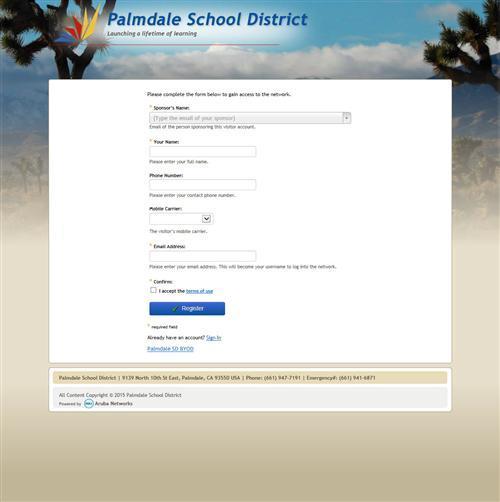
- Fill out the required fields indicated by an asterisk (*)
- Click on: Register
- Your sponsor will receive an email with your request.
- You will be directed to the following:
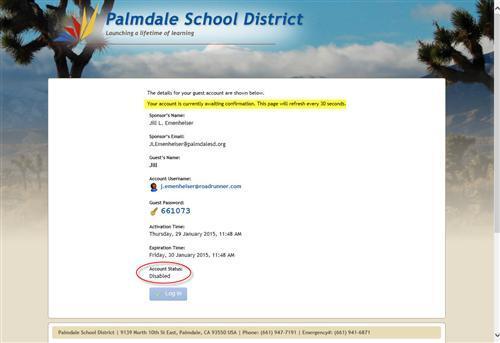
- Once your request has been accepted, you will see:
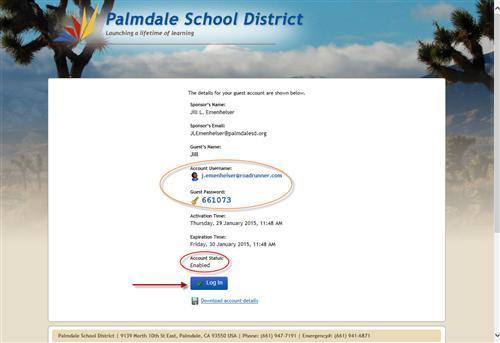
- You will be taken back to the first login screen:
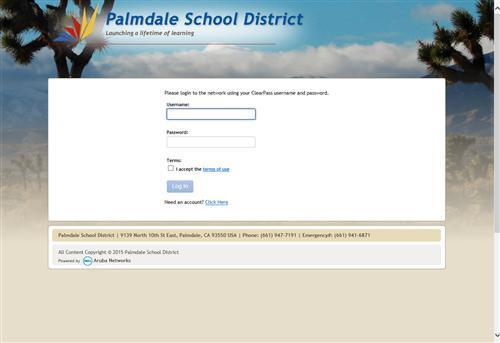
- Log in with your username and password. Your account is active for 24 hours.